

Choosing Between Canva and Envato: A Comprehensive Guide


In the ever-evolving realm of graphic design and digital content creation, there are two platforms that often go head-to-head. Both offer advanced features catered to different user needs, making it crucial to grasp their individual strengths and weaknesses. This comprehensive guide is designed to provide valuable insights to help you choose the perfect tool for your creative endeavors
In short: Envato is a marketplace for digital assets like themes, templates, and plugins. Canva is a graphic design platform with easy-to-use tools for creating visuals. Both have their strengths and their place in the design world ; Envato offers more variety while Canva is user-friendly for quick designs
Features and capabilities comparison of Canva
It has become a go-to tool for users of all levels who want to create visually appealing designs. One of its standout features is its wide array of templates for various types of content, such as social media graphics, presentations, and posters With an extensive library of fonts, images, and design elements, it allows users to create professional-looking designs quickly The platform supports collaborative work, making it easy to share designs and receive feedback in real-time It is also known for its drag-and-drop functionality, making design accessible to beginners

It offers both free and premium versions, with the premium version providing access to a larger library of templates and additional features like the ability to upload brand assets It frequently releases updates, keeping the platform fresh with new tools and design features As of Aug 2024, the platform introduced advanced animation tools and enhanced AI-powered design suggestions It also includes features for brand consistency, such as brand kits, allowing users to match their designs with their brand’s identity
However, while it is great for simpler designs, it can be limiting for more advanced users It lacks the deep customization options and advanced graphic design features found in professional tools Therefore, for users looking for more control over intricate design elements, it might fall short compared to other platforms, such as Envato

Features and capabilities comparison of Envato
Envato, a leading marketplace for creative assets, offers a range of services that cater to both designers and developers. Unlike Canva, Envato provides access to premium templates, plugins, and stock media, with the goal of enhancing and expanding users’ design and development projects. One of the platform's key offerings is Envato subscriptions, which provide unlimited access to thousands of templates, graphics, fonts, stock footage, and limited access to other resources like their new generative AI tools. Envato also offers tools like Envato Tuts+, an educational platform that offers tutorials on design, development, and other creative subjects
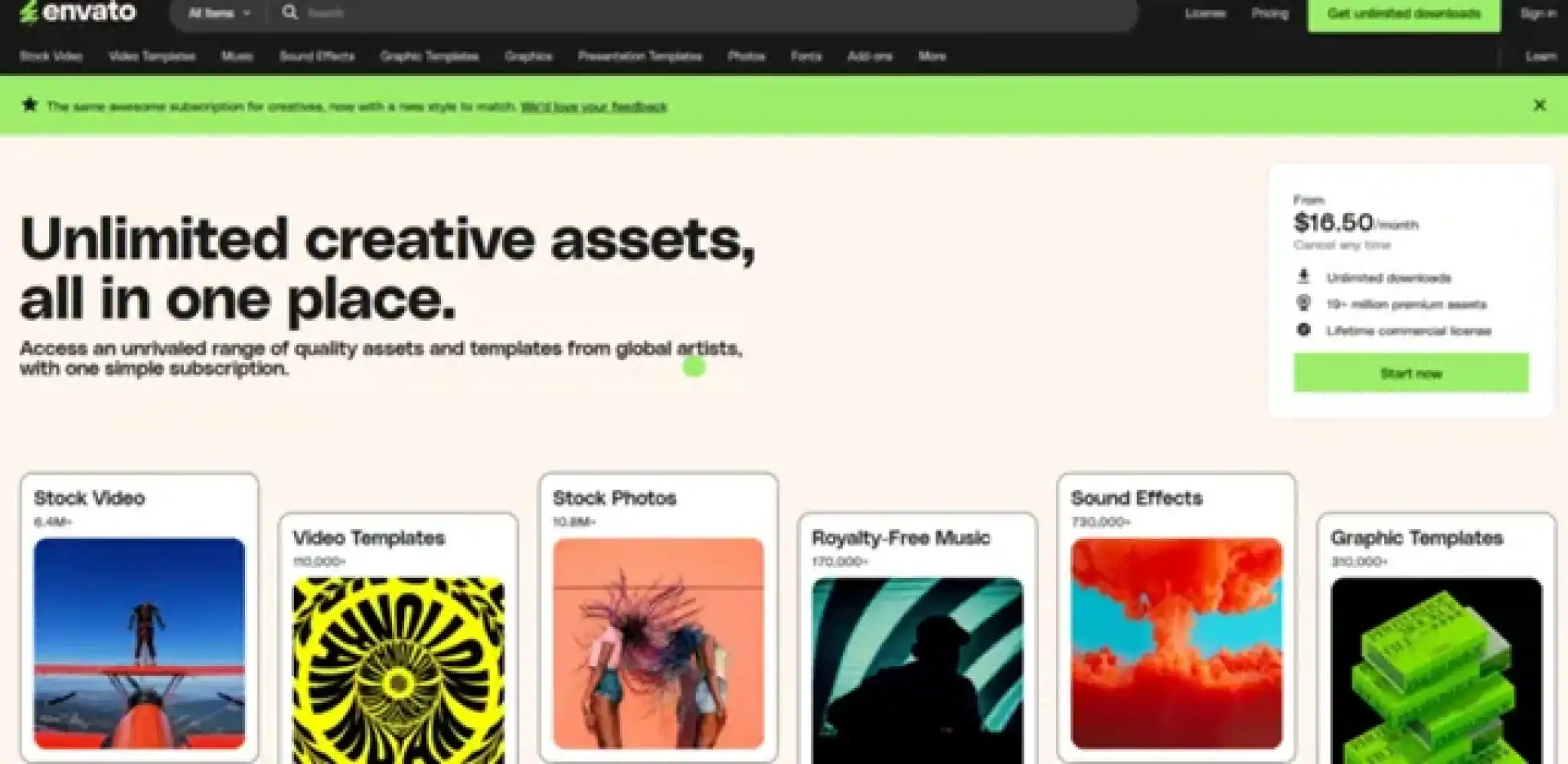
For those looking for more specialized and professional-grade content, it has the advantage over the other service, as it provides higher-quality assets that are suited for more complex projects. Envato’s stock resources are particularly well-suited for web developers and advanced designers looking for specific assets, such as premium themes, plugin scripts, and high-definition video content
However, unlike Canva, Envato does not focus on providing a drag-and-drop interface or templates tailored to social media and marketing content. Instead, it’s more of a marketplace for creative professionals who need specialized resources to elevate their projects. The platform also regularly updates its content, adding new assets and tools to stay ahead of trends. This makes Envato an excellent choice for users looking for diverse resources and more advanced design features, as seen in the updates released in Jan 2025
User interface and ease of use for Canva

It is well-known for its intuitive and user-friendly interface. From beginners to experienced designers, the platform’s design environment is easy to navigate, with a clear layout that makes it simple to find templates, images, and elements. it's drag-and-drop functionality significantly reduces the learning curve, allowing users to focus on creativity rather than technicalities. In addition to this, users can resize, crop, and edit images with ease, making it ideal for quick design tasks
The design workspace is clean and uncluttered, offering a range of tools in easy-to-access panels. For those who wish to work collaboratively, It’s interface facilitates seamless teamwork, allowing users to share projects and provide feedback in real-time. With regular updates, the platform has continuously improved, adding features like the ability to animate elements and refine designs. The most recent update in August introduced an intuitive AI-powered tool that assists users in generating design suggestions based on their content. This keeps it’s interface modern and adaptive, helping users create designs quickly and efficiently
One of it’s super advantages is its versatility—it can be used for everything from simple social media posts to more intricate business presentations. However, while it’s user-friendly, it may not be as robust as professional software like Adobe Illustrator, especially for advanced design needs
User interface and ease of use for Envato

Envato offers a different user experience, focusing more on the provision of assets and tools rather than a simple design interface. The user interface of Envato is clean but can be overwhelming for beginners, especially given the vast array of assets available for download. While not as intuitive as Canva, Envato’s interface is streamlined for professional use, with categories and filters to help users find exactly what they need. This might seem less appealing to those who are looking for drag-and-drop simplicity but is highly functional for experienced designers
For example, Envato’s asset library can be accessed quickly, and downloading files like stock images, video clips, and templates is straightforward. The process of navigating through Envato’s marketplace is generally smooth, but the user experience can sometimes feel slightly dated compared to Canva’s more modern design. The platform's focus is more on providing users with high-quality resources rather than offering an all-in-one design tool
While the platform is not necessarily aimed at casual users, Envato's clean interface and professional assets are well-suited for advanced users looking for specialized design elements. Additionally, the ability to match assets to specific project needs—such as the stock media updates released in January 2025—, and the AI toolkit added in 2026 (which has limited or unlimited access included in subscriptions, depending on the tier chosen, and includes AI generation and editing for images, videos and audio)
sets Envato apart for professionals working on large-scale design or development projects.

Comparison of Envato and Canva, focusing on their Features and Value for Designers
When comparing Envato and Canva, the two platforms cater to different needs in the design world, with distinct features and varying levels of value for designers
Canva is known for its user-friendly interface, making it an ideal choice for beginners, casual users, or small businesses that require quick, visually appealing designs. It offers an extensive library of templates, design elements, and assets that cater to a wide range of needs, from social media graphics to presentations. The drag-and-drop functionality simplifies the design process, making it accessible even to users with little to no experience in graphic design. Canva also supports real-time collaboration, allowing teams to work together seamlessly on projects. With a free tier available, Canva provides significant value for users looking to create professional-looking content without the need for advanced tools
However, Canva does have limitations in terms of customization and advanced features. While it is perfect for basic designs, more experienced designers might find it restrictive when attempting to create highly customized or intricate work. Some premium assets, such as certain fonts or images, require payment, and the overall flexibility in design customization is lower compared to other platforms
On the other hand, Envato caters more to advanced designers and professionals who require high-quality, specialized resources. The platform offers a vast collection of premium digital assets, including templates, plugins, stock media, and graphics. With a subscription to Envato, users gain access to unlimited downloads of these premium assets, significantly expanding their creative possibilities. Envato is perfect for complex, large-scale projects, as it provides professional-grade resources suited for web development, video production, and more
While Envato’s interface is more complex than Canva’s, it offers a greater degree of customization and the depth of resources needed for advanced projects. However, it’s best suited for those who are willing to pay a subscription fee and are looking for professional-level assets and tools
Customer support and community feedback for both platforms
Customer support and community feedback are key areas where both Canva and Envato excel, though in different ways. Canva offers a comprehensive support system, with help articles, video tutorials, and a customer support team available for troubleshooting. The platform has an active online community, where users share tips and design resources, creating an engaging space for learning. Canva's quick response time and user-centric approach to updates make it a strong contender for those needing assistance with design-related issues
On the other hand, Envato offers support through its dedicated ticket system and help center. The marketplace also has a large community of creative professionals who share their expertise on Envato forums and through tutorials available on Envato Tuts+. While Envato’s customer support is generally well-regarded, users sometimes report longer response times due to the more specialized nature of the platform’s resources. Envato’s community feedback tends to be more focused on asset reviews and tutorial discussions, which can be invaluable for designers and developers looking for specific advice
When it comes to updates, both platforms provide regular improvements to their support systems. Canva frequently adds new features based on user feedback, like the AI-powered design assistant released in August, making the platform even more accessible Envato, in contrast, focuses more on updating its vast library of creative assets, ensuring that users always have access to fresh, high-quality content Overall, both platforms offer strong customer support, though Canva is often seen as more user-friendly, while Envato provides a more specialized experience
Alternatives to Envato and Canva, and User Experiences with Both Platforms
While Canva and Envato dominate the creative asset and design tools market, there are several notable alternatives that cater to different user needs. One such alternative is Adobe Creative Cloud, which offers professional-grade tools like Photoshop, Illustrator, and After Effects Adobe is ideal for users looking for a comprehensive suite of creative software and the ability to design with a high degree of customization However, it’s much more complex and expensive.
Another alternative is PicMonkey, a graphic design tool that offers a user-friendly interface similar to Canva’s. It provides many templates and tools for social media and marketing content, but lacks the depth of Envato's asset library. For web developers and those needing specialized resources, platforms like Creative Market offer high-quality design assets that are comparable to Envato’s offerings but are more focused on specific creative fields
In terms of user experiences, many find Canva to be a super convenient option for quick designs, particularly for personal projects or small businesses. However, professional designers often prefer Envato, especially for large-scale projects that require premium templates, plugins, and stock media. Whether users choose Canva or Envato depends on their design needs—if they require simplicity and ease, Canva is the preferred option; if they need access to high-quality, specialized assets, Envato wins the match
Who Should Use Each Platform?
Canva and Envato cater to different types of users, each with distinct needs Canva is perfect for beginners, casual users, and those who require quick, visually appealing designs without needing advanced design skills Envato, on the other hand, is tailored for professionals and advanced users seeking high-quality, specialized assets to enhance complex projects
Canva: Best for Beginners and Casual Users
It is ideal for beginners and casual users who need an easy-to-use platform for creating graphics, presentations, and social media posts. Its drag-and-drop functionality and vast library of templates allow users to produce professional-looking designs without prior design experience For small businesses, educators, or individuals managing personal projects, It is a great choice. Its free version offers plenty of tools, while the premium version unlocks even more features It’s accessibility, intuitive interface, and constant updates make it perfect for those who need fast and effective solutions without delving into complex design software
Envato: Ideal for Professionals and Advanced Users
Envato is best suited for professionals and advanced users who need access to high-quality, specialized creative resources. Whether you're a graphic designer, web developer, or videographer, Envato’s extensive library of premium assets like stock footage, templates, and plugins provides the tools necessary to elevate complex projects
With platforms like Envato and Envato Market, users can access a diverse selection of top-tier resources tailored to specific industries The ability to customize and integrate assets into sophisticated workflows makes Envato ideal for those working on large-scale or professional projects The platform’s more complex nature, however, may require some technical expertise
Pros and Cons of Each Platform
Canva
- User-friendly interface
- Extensive library of templates and assets
- Real-time collaboration features
- Free tier available
- Limited advanced features for professionals
- Some premium assets require payment
- Less flexibility in design customization
Envato
- Vast collection of digital assets
- High-quality premium templates
- Unlimited downloads with subscription
- Suitable for advanced users and professionals
- More complex interface
- Subscription cost may be high for casual users
Key Features
- Canva is known for its user-friendly interface, making it a perfect choice for beginners. On the other hand, Envato offers more advanced features but may require a bit of a learning curve
- Envato boasts a wide range of digital assets, including stock videos and music, which can be advantageous for complex projects that require diverse resources
- If you collaborate with others frequently, Canva's real-time collaboration tools can significantly boost productivity and streamline teamwork
Envato vs Canva Conclusion
The choice between the two platforms depends on your specific needs and level of expertise. Canva is perfect for those who prioritize ease of use and quick design solutions, while Envato is better suited for professionals seeking a comprehensive library of high-quality assets.


